

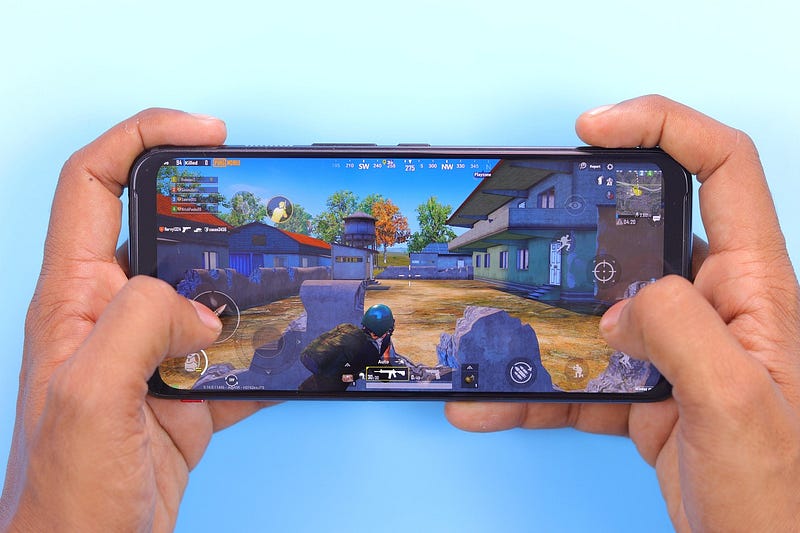
Practical perspectives from a gamer’s experimentation for a tool used by 400+ million users
Discovering BlueStacks
It all started with my need for better controls. If you’re a gamer like me, you know how frustrating it can be to play a mobile game with awkward touch controls. I’m used to playing games with a keyboard and mouse or a controller, so when I tried out Rocket League SideSwipe on my phone, it just didn’t feel right.
That’s when I began my search for a way to play mobile games on my PC, and I discovered BlueStacks, an Android emulator that lets you run mobile apps and games on your computer. But this isn’t just a technical tool — it’s been a game-changer for how I experience mobile games.
After struggling with SideSwipe’s touch controls on my phone, I figured there had to be a better way to play this game — one where I could use my PC’s larger screen and better controls. That’s when I stumbled upon BlueStacks.
For those unfamiliar, BlueStacks is software that emulates an Android device on your computer. It’s available for both Windows and Mac, and it allows you to run Android apps and games like you’re playing on a real phone, but on a bigger screen. For someone like me, who lives and breathes gaming, it was a revelation.
Setting Up BlueStacks — Not as Easy as It Sounds
I won’t lie — setting up BlueStacks wasn’t a walk in the park. I ran into an issue with virtualization, which required me to dive into my PC’s BIOS. If you’ve ever tried to access your BIOS settings, you know how intimidating that can be. But after a bit of research and persistence (and a lot of trial and error), I got it working.
And wow, was it worth it! When I finally booted up Rocket League SideSwipe on my PC, it was like night and day. The larger screen, the precision controls, and the ability to clip gameplay — it was everything I wanted in a mobile gaming experience.
Why BlueStacks is a Lifesaver for Mobile Gamers
Playing SideSwipe on BlueStacks was more than just a technical upgrade. It enhanced my overall gaming experience in ways I didn’t expect. I can summarize them in three bullet points for you to remember.
1 — Better Controls: With my keyboard and mouse, I could finally play with the precision I’m used to.
2 — Improved Performance: The game ran smoother, with no lag or awkward frame drops, which made for a much more enjoyable experience.
3 — Clipping Gameplay: One of the downsides of mobile gaming is the inability to easily record or save gameplay. With BlueStacks, I could clip and share my best moments with ease.
Conclusions and Key Takeaways from My BlueStacks Journey
For anyone who loves mobile games but struggles with touch controls, BlueStacks is an absolute must. It doesn’t just simulate Android apps on your computer; it makes the gaming experience more immersive, especially for games like Rocket League SideSwipe, which require precision and fast reflexes.
My journey with BlueStacks wasn’t just about solving a technical issue. It reminded me why I love gaming so much in the first place — the ability to explore new platforms, experiment with different setups, and always look for ways to enhance my gameplay.
BlueStacks is a valuable tool for mobile gamers seeking to enhance their gaming experience. By providing a larger screen, better controls, and improved performance, BlueStacks can make playing mobile games on a computer more enjoyable and immersive.
While BlueStacks offers numerous benefits, it’s important to consider its potential drawbacks, such as performance issues and security risks.
I want to highlight that there are some security concerns of BlueStacks, which I will cover in another story. Some of them are well documented by Heimdal.
By understanding these factors and taking steps to mitigate them, you can make an informed decision about whether BlueStacks is right for you.
Overall, BlueStacks is a powerful tool that can elevate your mobile gaming experience. If you’re looking for a way to play your favorite mobile games on a bigger screen with improved controls, BlueStacks is definitely worth considering.
Thanks for reading my story. I’d love to get your comments if you have experience or thoughts about this tool.
Here are some of my most loved stories from different topics from my collection.
Gaming, Fun, and Humor: The Lifelines That Rescued Me From Social Media’s Grip on My Life
Finding Comfort in Blocks: How Minecraft Eased My First Time Loneliness and Intense Grief at 17
AI Can Now Create Photorealistic Videos From Just a Text Prompt
A Little About Me for For Those Who Don’t Know Me Yet
I write stories in my field covering gaming, film-making, social media, and design. I am also a YouTuber. Thank you for subscribing to my account to get notifications when I post on Medium. I also created a new blogging site to share my content for free and promote stories of writers contributing to my publications on Medium.
I have a Substack newsletter. Let’s connect on Twitter and LinkedIn. I became a guest blogger on digitalmehmet.com community blog site. I own two publications on Medium. One for video gamers and another for YouTubers and Podcasters.
I also support Illumination Integrated Publications as a volunteer editor and participate in collaborative activities in the Slack Workspace. Writer applications for my publications can be sent via this weblink. Please add your Medium ID.
Get an email whenever Aiden (Illumination Gaming) publishes.
Technology, Gaming, Movies, and Social Media | Aiden MC | Substack
This newsletter is to inform and inspire my readers. Click to read Technology, Gaming, Movies, and Social Media, by…aidenmc.substack.com
Originally published on my community blog site and I made a short blog on illuminationgaming.com site
You can find many stories like this on ILLUMINATION-Gaming. If you are a writer, you are welcome to join us.
Thank you for subscribing to my newsletter on Substack.


Leave a Reply