

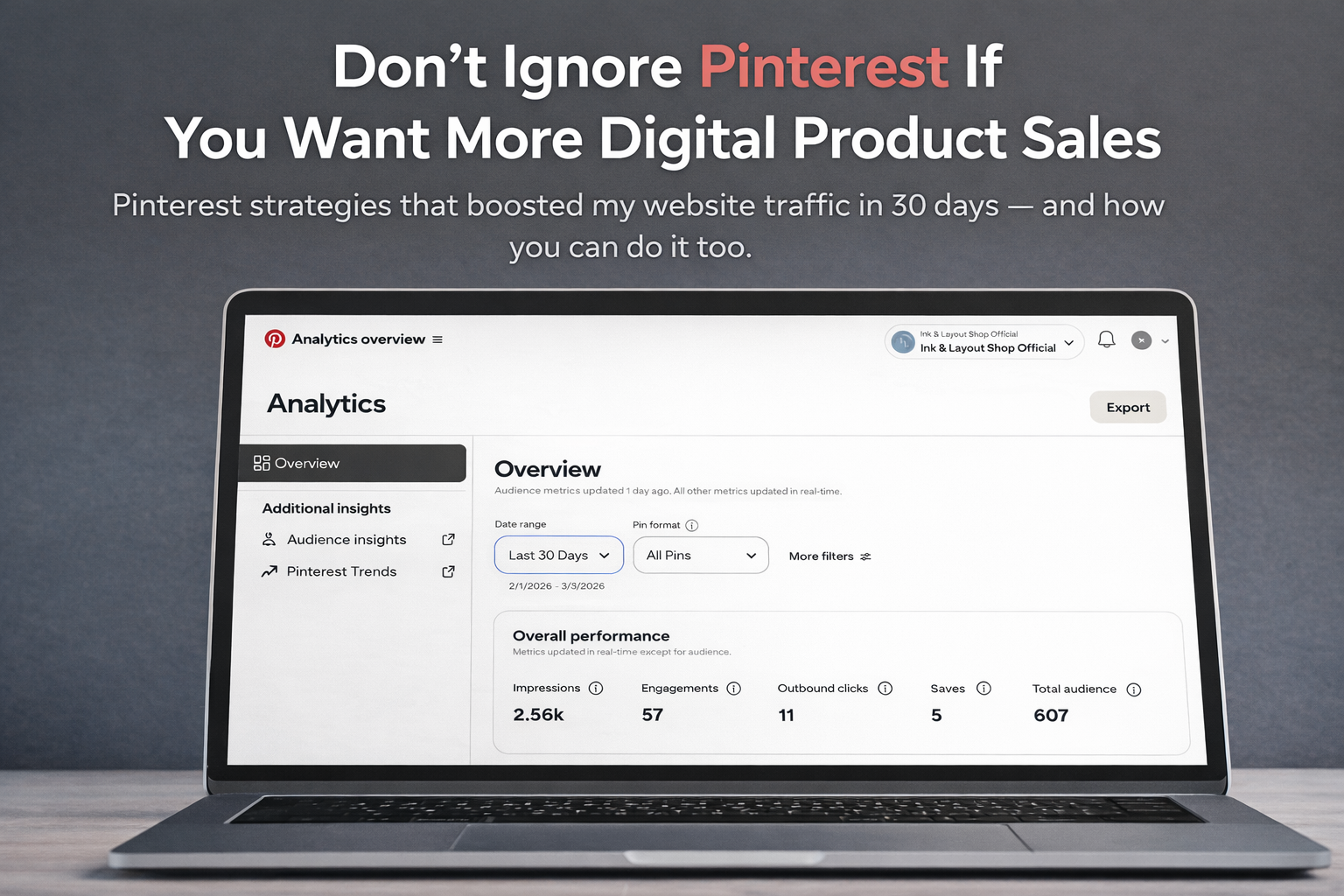
Pinterest strategies that boosted my website traffic in 30 days and how you can do it too.
Curator’s Note: The author shares insights on how to boost website traffic using Pinterest within 30 days. Initially focused on Instagram and Medium for promoting digital products, she discovered that Pinterest functions as a search engine rather than a social media platform, driving organic traffic effectively. After making initial mistakes, such as creating a personal account and neglecting SEO, Saima learned to leverage Pinterest Trends for keyword research and utilize Canva for design. Following these strategies led to significant traffic increases, even without sales. The author emphasizes consistency and patience as key factors for success in digital product marketing. This article was written by Saima Akher, a contributing writer and volunteer editor of ILLUMINATION Integrated Publications on Medium.com.

I’ve started to sell my digital products since January of this year and the first thing that came to mind to promote my products was on Instagram. I did it, but it took a lot of time.
Then I thought about using Medium since I’m already a writer here but it didn’t provide much benefit, and I found it annoying to write about my products and promote myself every time.
While watching YouTube, I found a video that compared social media apps for promoting digital products.
In this video, I learned for the first time that Pinterest is not a social media app but a type of search engine like Google.
Unlike social media apps, Pinterest can drive organic traffic to your website for months or even years.
I have been using Pinterest for a long time to download beautiful pictures for personal use.
I didn’t realize it could also help generate more organic traffic for my website. If you are lucky, you might even make your first sales there.
So, I decided to give it a try on Pinterest to promote all my products there and let’s see what happens.
Mistakes After Creating My First Pinterest Account
The video I watched said that to get more traffic on Pinterest, you should add SEO keywords to your Pin titles and descriptions, and create nice thumbnails.
I used ChatGPT directly without any research to generate SEO titles and descriptions for pins, hoping it would help.
I wanted to avoid buying a Semrush subscription, but the results were not what I expected.
The mistakes I did:
🔸Created a personal account, not a business account.
🔸Didn’t research the proper SEO keywords according to my product’s niche.
🔸 Created boards but didn’t add any proper SEO title and description.
🔸Created pins but didn’t add any proper SEO title and description.
The Things I Have Done After Realizing My Mistakes
Another interesting video showed up on my YouTube homepage. It had clear details and was better than the previous one.
Then I realized what I was missing and discovered tools that any beginner can use without paying for subscription models.
There are a few things that are really important to do, so you can get more organic traffic to your website.
Create Business Account
To create a business account, first make a personal account. I initially thought there would be a monthly fee, but creating a business account is actually completely free.

Use Pinterest Trends For Keyword Research
After you create your business account, you can use Pinterest Trends. This tool is helpful for keyword research but it has some limits and doesn’t provide as much information as Semrush. If you use it wisely, it can still bring you traffic to your website.
Add Target Keywords On Pin Title, Description & Alt Image
When you choose keywords from Pinterest Trends, remember to take note of them. Then, ask ChatGPT to create a pin title and description using the target keyword you selected. This will help you get a nice and SEO-optimized title and description easily. You can paste the same title in the Alt text.
Add Target Keywords On Pin Boards
It’s best to include the target keyword in both the title and description of the pin board. You can use ChatGPT to help you create these.
Use Canva For Creating Pin Thumbnails
I use Canva to create designs for my shop’s products, Instagram posts, and Pinterest thumbnails. It is easy to use pre-designed templates or make your own designs.
Guide to Understanding Pinterest Better
Let’s take an example and I will guide you step by step then.
For example, you have created a Canva template and sold it on your website.
So,
🔶 Go to Pinterest, then search for Pinterest trends.


🔶 Write Canva in the search bar, add more keywords and see the relevant keywords your product is about.
I selected the keyword “Canva templates” and looked at data from the past year.
The graph shows a high search volume, which means it will be challenging to rank for that keyword.


🔶 You can check related keywords below or add a different one in the search bar to compare. I chose “canva templates ideas” which has a moderate ranking shown in green so that means it is a good keyword to target.


You have researched your keyword. Now, it’s important to add the target keyword “canva templates ideas” to your Pinterest board’s title and description as well as in the title, description, and alt text of the Pins.
🔶 Before creating pins you have to create boards first, it’s a very important step.
Select Create → Board → Add title (canva templates ideas) → Create

🔶 After you add a title, a board will be created for you. Next, you need to add a description. You can use ChatGPT to help you write a description that is SEO optimized using the same targeted keyword.
Here is the prompt you can write:
“I have created a Canva template and sold it on my website. Now I want to promote those templates on Pinterest, so I want to create a Pinterest board description using the specific keyword “canva templates ideas.” Make it SEO-optimized, short and engaging.”
After this prompt, it will generate an SEO-optimized and engaging description. Copy this description and paste it there.
Click the board → … → Edit board → Add description → Done


You can now create pin thumbnails and pins based on your chosen keyword and save them in the board.
🔶 First, create pin thumbnails on Canva. You can even use pre-designed ones for time-saving.
Go to templates → search Pinterest Pin → select the pins you liked, edit and download them.

🔶 Then create pin title and description. Use ChatGPT to write it for you but this time also mention a little detail about what type of Canva templates you have created, so it will write it for you accordingly.
Here is the prompt, you can write:
“I have created a Canva template for a small business and sold it on my website. Now I want to promote those templates on Pinterest, so I want to create a Pin title and description using the specific keyword “canva templates ideas.” Make it SEO-optimized, short and engaging.”
After this prompt, it will generate an SEO-optimized title and description. Then, copy and paste the same title and description.
🔶 Now select Create → Pin → Add title and description, thumbnail and alt text → Select Board → Link → Publish

🔸 First, add the thumbnail you’ve created.
🔸Then copy the same title and description from ChatGPT and paste them there.
🔸Add your product link in the link section.
🔸Select the board that you created using the same target keyword.
🔸Then keep the rest of the settings as they are, then go to more options and paste the same title in the alt text.
That’s it! Be patient and watch how your traffic starts to grow.
The Results I Got After Doing These Steps
After following these steps, I was surprised by how much traffic I got on Pinterest in just one month, and it is still increasing.
My shop also started to receive more visitors from different countries.
Although I haven’t gotten my first sales yet but at least I’m happy to know that my website started to get organic traffic and it’s growing.
Getting traffic was a first step to my success and I’m grateful for it.
By consistently creating products and marketing them, I will eventually achieve sales one day.
But remember that patience and consistency are the keys to success.
That’s all for now!
If you have any questions or doubts, you can ask me in the comments section!
Thank you for reading!
If you like my work, then support me by buying me a coffee☕
Many people prefer Payhip over Gumroad. Why? Unsure which platform to sell your digital products? Read this post.
How Payhip Is Much Better Than Gumroad
About My Shop
I sell self-designed digital products, including digital planners (daily, weekly, monthly), phone wallpapers, desktop wallpapers, stickers, and more.
If anyone would like to visit my shop and Pinterest Page, here is the link below👇🏻


Leave a Reply